
|

|
|
|
|
Program type: Freeware File size: 38570 Kb Date: 08/12/2016 Homepage Install support: No Install Support OS: Win2000, WinXP, Win7 x32, Win7 x64, Windows 8, Windows 10, WinServer, WinOther, WinVista, WinVista x64 Requirements: Windows 7 or newer Language: English | vivaldi browser, vivaldi technologies and vivaldi or free new web browser and cheap browser or the alternate, good advanced or also web browser, browser for our friends | Vivaldi Win 32 1.4 [Homepage] - by: Vivaldi Technologies AS - Download links for Vivaldi Win 32 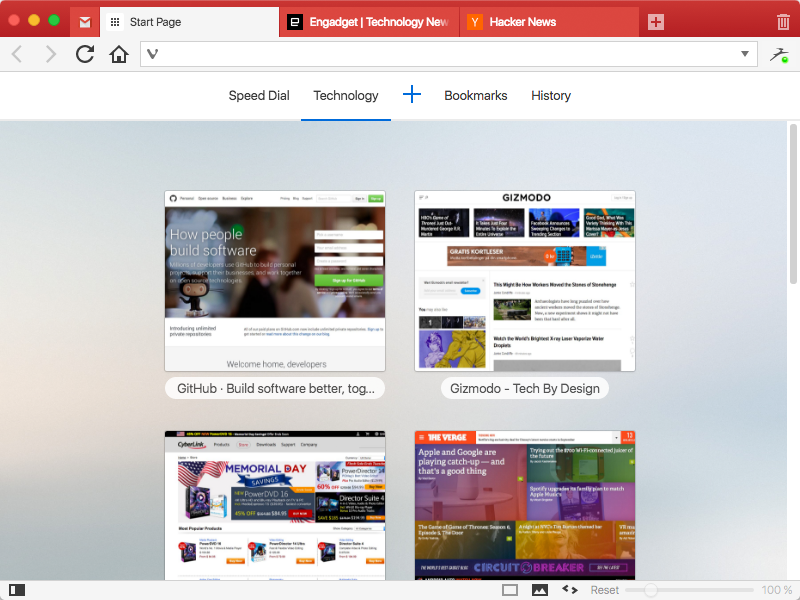 Click to enlarge Description: We spend more time in front of the browser than anything else we do. Many of us spend hours each day. Thus this tool matters more than any other tool and you deserve a browser that is optimized for you. That is what Vivaldi is all about. It is made for YOU! Steered by Jon von Tetzchner, co-founder of Opera Software offers a browser that lets you take control of your browsing experience. With all major browsers sharing a similar philosophy of offering minimal features, Vivaldi offers a breath of fresh air by offering tons of features that adapt to you. Vivaldi is fast, fun and feature rich. Vivaldi offers a plethora of features which makes browsing more fun and productive: Customization: You can decide to have your tabs at the top, bottom, left or right or also hide the tab bar and only show it when switching tabs. Adapt pages to your needs: Zoom pages, turn or off images and change colors and the like through page actions. Control Vivaldi with the mouse, mouse gestures, keyboard, shortcuts and quick commands. Settings for most everything: Themes,keyboard shortcuts and most all aspects of the program can be custom Tab stacking and Tab tiling:Tabs can be stacked. Drag a tab onto another.This enables you to have a lot more tabs without visual clutter. With Tab tiling, the pages will be shown side by side or otherwise arranged. Great for those with big screens with high resolution. Bookmarks: Access bookmarks in many ways. The simple, visual way is through speed dials, where you can have multiple speed dial groups and folders. You can also use the bookmarks panel, the bookmarks manager and the bookmarks bar. Notes: Useful for remembering where you found that quote on the net. Just select the text and add it as a note. Both the text and a link to the page is added and you can add a screen shot as well. Web panels: Add pages that you use often as web panels. Very useful for things like thesaurus, dictionaries, social networks, mail and the like. Recent changes in this Major Update: Remarks - Comments - Reviews (Add your opinion about this program) |
See also in Web: Browsers and Plug-ins
|
|


 Download:


