
|

|
|
|
|
Program type: Freeware File size: 238 Kb Date: 10/29/2016 Homepage Install support: No Install Support OS: WinXP, WinVista, WinVista x64, Win7 x32, Win7 x64, Win2000, Windows2000, Windows2003, Windows Vista Ultimate, Windows Vista Ultimate x64, Win98, WinME, WinNT 4.x, Win95, Windows Vista Starter, Windows Vista Home Basic, Windows Vista Home Premium, Windows Vista Business, Windows Vista Enterprise, Windows Vista Home Basic x64, Windows Vista Home Premium x64, Windows Vista Business x64, Windows Vista Enterprise x64, Windows 10, Windows 8, Windows Server 2012 Requirements: A LAN connection with NetBIOS support. Language: English | freeware and network or free tool and cheap scan or the user, good computer or also address, http and netbios or free active and cheap state or the local, good online | Bopup Scanner 2.1.9 [Homepage] - by: B Labs - Download links for Bopup Scanner 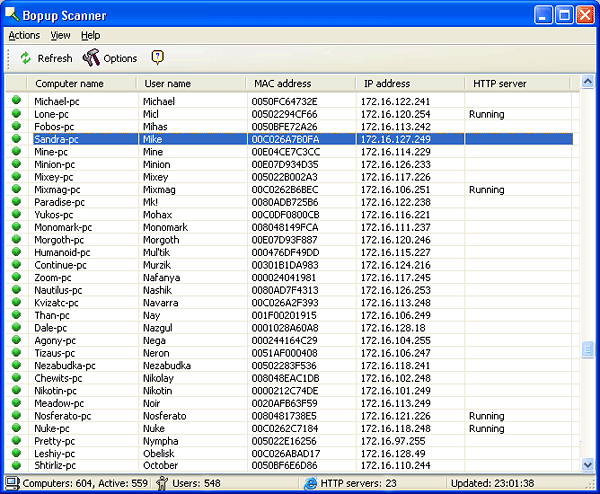 Click to enlarge Description: Bopup Scanner is a LAN scanner which resolves multiple network-specific parameters and displays all the active nodes/systems connected over the network along with useful information on the main interface. Covering almost every aspect of most network tools it offers more detailed information about the connected computers, such as user name, MAC address, IP address, and HTTP server. Useful for network administrators! For the first time usage, you need to click Refresh to generate a list of all connected PCs. From status bar, you can view summarize information like number of users connected, number of active nodes, etc. Right-click any listed item to view the shared folder of the connected PC and explore HTTP server proxy. Under Options window, you can enter the IP range to find out all the active/passive systems over the network. You can also limit the response time to shorten the total scan time and select a network adapter to scan the range in question. From Actions menu, you can save the list in TXT format. The application supports all versions of Windows, from Windows 9x to Windows 7. It is a portable software and requires no install. Recent changes in this New Release: Remarks - Comments - Reviews (Add your opinion about this program) |
See also in Utilities and Hardware: Network
|
|


 Download:


