
|

|
|
|
|
Program type: Freeware File size: 668 Kb Date: 07/12/2017 Homepage Install support: Install and Uninstall OS: Win2000, WinXP, Win7 x32, Win7 x64, Windows 8, Windows 10, WinServer, WinOther, WinVista, WinVista x64 Requirements: .NET 2.0 or later. Language: English, Chinese, ChineseSimplified, ChineseTraditional | duplicate file finder and folder size or free recent accessed files and cheap track windows activity or the batch file commands | WinExt Free 2.0 [Homepage] - by: TriSun Software Limited - Download links for WinExt Free 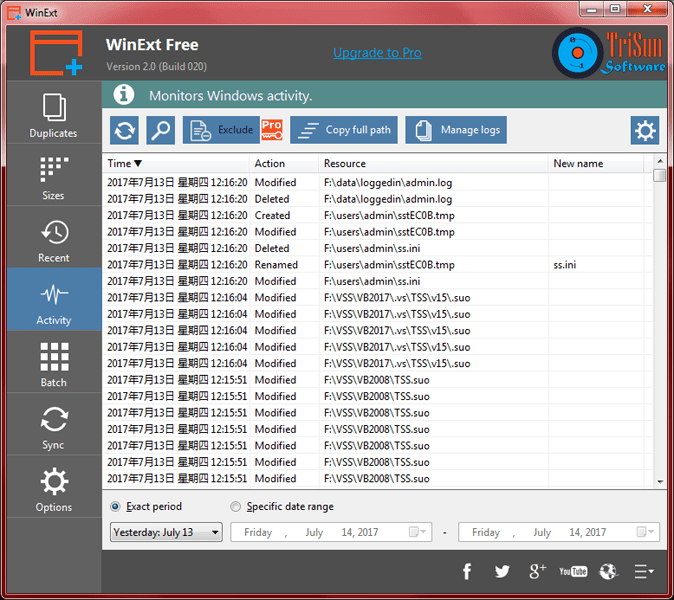 Click to enlarge Description: WinExt is a FREE utilities kit for Windows. You can enjoy the following features by using it: 1. Quickly find the duplicate files on your drives relied on file contents. Key features: comparing file contents, 100% accurate result. High-speed comparison algorithm, very fast. Only need 1 click to get result. Reusable result: save / load the duplicate files listing. Sorts result by size in descending, colored groups. 2. Quickly see all drives/directories/files size in 1 tree view, in order to let you to do the manual disk cleaning work easily. Key features: operate resources in batch mode. Sort resources by size in descending order. Intelligent unit and decimal of size. 3. See and open more recent used resources (files and directories). And see more properties of the recent resources, such as path, size, type, date modified and date created. 4. Monitor the operations for Windows automatically, such as 'Deleted', 'Renamed', 'Created' and 'Modified' actions of files and folders. 5. Select some resources (files / folders) first, and then you can make the following actions on them at once: move to Recycle Bin, permanently delete, copy / move to other location, rename and output information. 6. Automatically or manually synchronize your resources to other place, you can set the sync mode as "Once changed", "Fixed frequency (mins)" and specific times. Recent changes in this Major Update: Remarks - Comments - Reviews (Add your opinion about this program) |
See also in Utilities and Hardware: File and Disk Management
|
|


 Download:


