
|

|
|
|
|
File size: 3173 Kb Date: 08/14/2007 Homepage Install support: Install and Uninstall OS: Win95, Win98, WinME, WinNT 3.x, WinNT 4.x, WinXP, Windows2000, Windows2003, Windows Vista Starter, Windows Vista Home Basic, Windows Vista Home Premium, Windows Vista Business, Windows Vista Enterprise, Windows Vista Ultimate, Windows Vista Home Basic x64, Windows Vista Home Premium x64, Windows Vista Business x64, Windows Vista Enterprise x64, Windows Vista Ultimate x64 System requirements: Windows 98/ME/2000/XP/2003/Vista; 3 MB of free disk space Language: English, French, Italian, Russian | backup | Insofta Document Backup 4.0 [Homepage] - by: Insofta Development - Download links for Insofta Document Backup 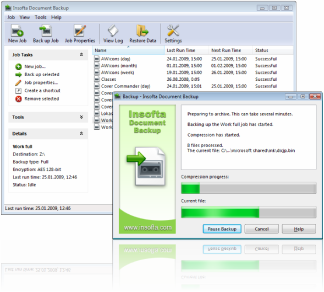 Click to enlarge Description: A brief description of Document Backup from Insofta: After reviewing hundreds of backup programs, I didn't believe I'd find one that could offer something new. But I did. Document Backup from Insofta has a stylish design. Not surprised? The program has a modern look and a user-friendly interface. Document Backup is intended for regular backups of selected files and folders. The program is packed with all the features that a modern backup application should have. There is a handy wizard to create new backup projects. Projects are easily editable and include many options that you can use to tune-up the process. Several compression methods are supported. You can choose a good trade-off between the speed of the backup and the disk space required. Strong AES encryption is used for maximum security. Two modes of operation are supported: full and incremental. In the incremental mode, the program backups only the files in selected folders that have been created or updated since the last backup session. This can dramatically increase the backup speed. Document Backup can create backup archives on local disks, remote network locations, FTP-server or on writable CD/DVD disks. Archives automatically get divided by CD-sized volumes if needed. A built-in scheduler allows you to start your backup tasks automatically at specified times. The program writes comprehensive log files that you can review at any time. An interesting feature of Document Backup is its ability to put shortcuts of backup tasks onto your Desktop, which can be very useful if you run the tasks manually. Recent changes in this Major Update: Remarks - Comments (Add a remark about this program) |
See also in Utilities and Hardware: Backup
|
|


 Download:


