
|

|
|
|
|
Program type: Freeware File size: 5131 Kb Date: 12/07/2017 Homepage Install support: Install and Uninstall OS: Win2000, WinXP, Win7 x32, Win7 x64, Windows 8, Windows 10, WinServer, WinOther, Windows2000, Windows2003, Windows Server 2000, Windows Server 2003, Windows Server 2008, Windows Server 2008r2, Windows Server 2012, Windows Tablet PC Edition 2005, Windows Media Center Edition 2005, WinVista, Windows Vista Starter, Windows Vista Home Basic, Windows Vista Home Premium, Windows Vista Business, Windows Vista Enterprise, Windows Vista Ultimate, WinVista x64, Windows Vista Home Basic x64, Windows Vista Home Premium x64, Windows Vista Business x64, Windows Vista Enterprise x64, Windows Vista Ultimate x64 Requirements: Windows, 128 MB RAM, 16 MB free disk space, screen 800x600 Language: English, German, Russian, Turkish, Ukrainian | free backup, good free back up or also free backing up, backup copy and creating backup or free file backup and cheap backup data or the free backup program, good free backup software or also sync files, synchronization files and backup folder | Exiland Backup Free 4.6 [Homepage] - by: Exiland Software - Download links for Exiland Backup Free 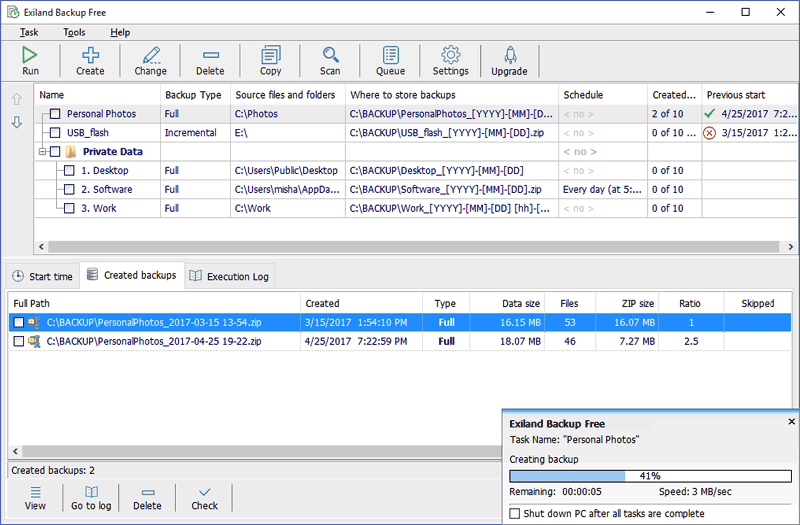 Click to enlarge Description: Exiland Backup Free is a free and powerful file backup software, that allows you to make backups of your important files. It is extremely easy, small and fast, taking just a little of system resources. It is an ideal backup solution for desktop and laptop computers, for your business or personal use. The program save backups to any storage locations: local or network drives, SSH, FTP, NAS servers, removable media (such as flash drives or external HDD). Exiland Backup saves your disk space by compressing the files included in backups. You can download Exiland Backup Free and use it free of charge. MAIN FEATURES - Four backup types: full backup, differential backup, incremental backup, and data synchronization - Powerful file filters (masks, attributes, excluded subfolders, and so forth) - Flexible scheduler - Allows scheduling tasks on PC startup/shutdown or USB device connection and launching tasks manually from Windows command line - Backs up any data: local and network files - Sends backups as email attachments - Standard ZIP compression - Runs third-party programs or commands before/after the execution of a backup task - Restores lost files - Logs all backup operations - Shows backup progress in the Notification Area (System Tray) - Uses three types of notifications (e-mail, Net Send, and on-screen message) Recent changes in this Major Update: Remarks - Comments - Reviews (Add your opinion about this program) |
See also in Software Development: ActiveX
|
|


 Download:


