
|

|
|
|
|
File size: 11644 Kb Date: 02/02/2018 Homepage Install support: Install and Uninstall OS: WinXP, WinVista, WinVista x64, Win7 x32, Win7 x64, Win2000, WinServer Requirements: LAN, WAN, VPN Language: English, Croatian, Czech, Danish, Dutch, Finnish, French, German, Greek, Hungarian, Indonesian, Italian, Macedonian, Malay, Polish, Portuguese, Serbian, Spanish, Swedish, Turkish | lan messenger or free lan chat and cheap network communication or the co workers communication, good messaging or also chat | Softros LAN Messenger 9.0.7 [Homepage] - by: Softros Systems, Inc. - Download links for Softros LAN Messenger 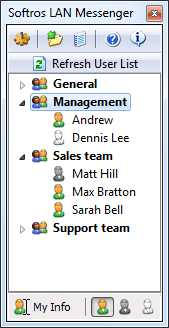 Click to enlarge Description: Is your company starting to experience communication problems? Does it take too much time to call your co-workers to invite them to a group meeting? Hate walking all over the building to solve some trivial issue? Then its time for your company to consider implementing network messaging solution. Softros LAN Messenger is an instant LAN messaging software application for an effective office communication. It does not require a server and is very easy to install and use. The program correctly identifies all Windows XP/7/8/10 user accounts and works in any TCP/IP network. Softros LAN Messenger comes with a variety of handy features, like message notification alarms, private, group or offline messages, files transfer, remote assistance, and intuitive interface. Softros LAN Messenger offers strong encryption options for all incoming and outgoing messages, guaranteeing no unauthorized person ever reads personal correspondence. The program is very stable when running under any Windows operating system and in any network, regardless of its size. This application can be used for contacting individual users or for group notifications. All messages are logged, so there is no risk of losing a message. All correspondence can be looked up at any time. Conveniently, there are sound alarms for incoming messages. The program is very straightforward and requires no special training. It is ready to be used right after installation is completed. Configuring the program can be done by individual users without requesting any assistance from the IT staff or system administrators. All settings can be saved and easily transferred to another computer, if necessary. Another advantage of the program is its low cost and flexible licensing options with generous volume discounts. Supports Windows/Citrix terminal services. Recent changes in this Major Update: Remarks - Comments - Reviews (Add your opinion about this program) |
See also in Internet and communication: Chat and IRC
|
|


 Download:


