
|

|
|
|
|
File size: 35948 Kb Date: 10/27/2011 Homepage Install support: Install and Uninstall OS: Mac OS X Requirements: MAC OS Language: English | 3D Flash Gallery and cheap 3D Flash Slideshow or the Free 3D Flash Gallery, good Free 3D Flash Slideshow or also flash photo gallery, flash photo slideshow and free flash photo gallery or free flash image gallery and cheap flash image slideshow or the image slider | CU3OX MAC 1.7.3 [Homepage] - by: CU3OX.com - Download links for CU3OX MAC 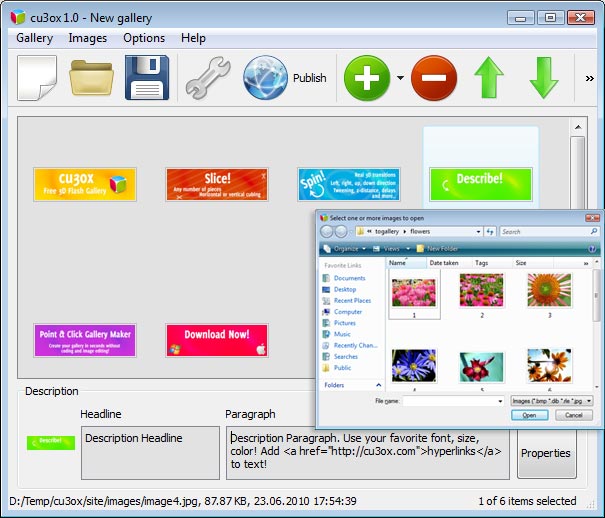 Click to enlarge Description: With CU3OX for MAC OS you can create an attractive image slider with cool 3D slice effects and transitions between slides. Key Features: * Customize the number of pieces, tween type, z-distance, distance, time, delay and more. Horizontal or vertical cubing. * Specify the description for each image. Use your favorite font, size, color! Add hyperlinks to text! * Images are loaded on the fly - no loading times in between. * No limit on number of images. * Real 3D transitions. Left, right, up, down direction. Visual Interface: * Windows and MAC versions of Visual interface. * Use photos directly from Flickr, Picassa or PhotoBucket in your image slider. * Built-in FTP client. * Tween types for the transitions, such as Cubic, Bounce or Elastic ... * Cross-browser support. * Make changes in XML file directly (add images, change animation, descriptions.. ). You'll be able to divide your images into any number of pieces and rotate them the way you like! CU3OX uses the Tweener engine, which makes it support several tween types for the transitions, such as Cubic, Bounce or Elastic. Use CU3OX to create content slider, image galleries, image & banner rotator for your website. You don't need to have any professional skills in Flash, HTML, CSS and Javascript. All need files and html code will be generated in CU3OX visual interface for Windows OS. Just open images in CU3OX program, specify the description and adjust transition properties for each image. Publish the 3D Flash Gallery to a local drive or directly to the Internet via a built-in FTP client and add the HTML embed code on your website or blog. As a result you'll have .swf (flash) file that requires an XML configuration file in which the paths to the existing images and settings, necessary for handling those, are defined. You can also define the appearance in terms of font-family, font-style, color, etc. in an external CSS file, making customization really easy. Recent changes in this Major Update: Remarks - Comments - Reviews (Add your opinion about this program) |
See also in Graphic Painting and Drawing: Animation
|
|


 Download:


