|
|
|
||||
|
|
Want a better software to manage your Web site more quickly and efficently? Click here for more info about EasyWebEditor...
Websites and CD DVD product catalogs with a single professional tool, in a single step? Yes it is possible: HyperPublish (BELOW!) FREE DOWNLOAD LINKS FOR: WinToUSB 3.6 WinToUSB is the best free Windows To Go Creator that allows you to install and run Windows 10/8.1/8/7 on an external hard drive or USB flash drive, or you can clone current Windows 10/8/7 installation to a USB drive as a Windows To Go Workspace. WinToUSB also supports creating a Windows installation USB flash drive from a Windows 10/8.1/8/7/Vista/2008/2012/2016 installation ISO file, so you can install Windows from the USB flash drive easily. (description, more information, click here - Best Windows To Go Creator to create portable Windows 10/8.1/8/7!) File size: 5131 Kb Free Download link 1: Click here to start the download for WinToUSB (then choose Save) Click here to start the download for WinToUSB (then choose Save)WARNING: we suggest to scan the files with an antivirus before installing them - we do our best to screen each file reviewed on GetSoftware, but we don't re-scan them each day, and so, better safe than sorry! The download link was perfectly working at the time of our review and the related inclusion in this archive, and so when we did our last test; the download is not on our servers, it is provided by the software house and sometimes can be -temporarily- offline or so. Please kindly use the contact form to report difficulties, strange behaviors or persistent problems, and quote the program name or the number 8990 . WinToUSB allows you to install/clone Windows 10/8.1/8/7 to an external hard drive or USB flash drive as a bootable Windows USB, it also supports creating a Windows installation USB drive, so you can install Windows from the USB flash drive easily.(Best Windows To Go Creator to create portable Windows 10/8.1/8/7!)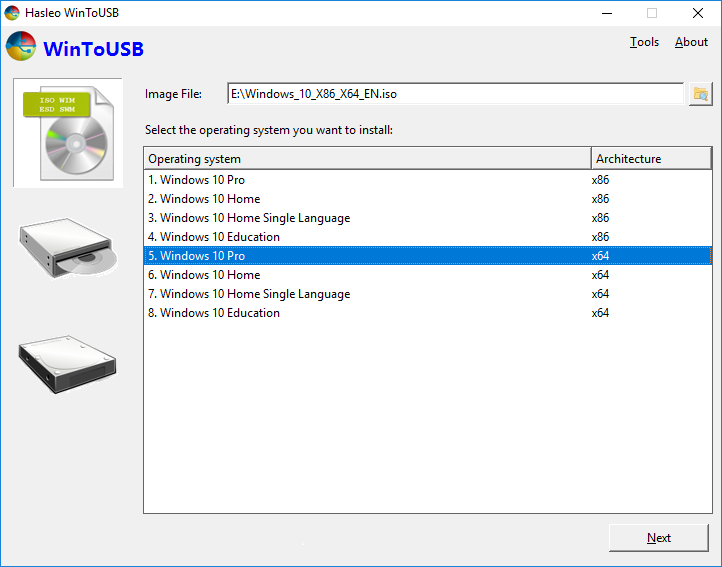 Download page for the app WinToUSB - WinToUSB (also called Windows To USB) is the best free Windows To Go Creator that allows you to install and run Windows operating system on an external hard drive or USB flash drive, using an ISO/WIM/ESD/SWM/VHD/VHDX image file or CD/DVD drive as the source of installation, or you can clone current Windows OS installation (Windows 7 or later) to a USB drive as a Windows To Go Workspace. WinToUSB also supports creating a Windows installation USB flash drive from a Windows 10/8.1/8/7/Vista/2008/2012/2016 installation ISO file, so you can install Windows from the USB flash drive easily. Oh, WinToUSB also supports creating a bootable Windows PE USB drive, it can help you transfer the contents of Windows PE to a USB drive and make the USB drive bootable.WinToUSB's key features include: Easy-to-use wizard interface that provides step-by-step instructions for creating a Windows To Go USB drive. Creation of Windows To Go from an ISO/WIM/ESD/SWM image file or CD/DVD drive. Clone an existing Windows OS (Windows 7 or later) to a USB Drive as a Windows To Go Workspace. Use of a Non-Enterprise Edition of Windows 10/8.1/8/7 to create Windows To Go Workspace. Creation of Windows To Go on Non-Certified Windows To Go USB Drive. Support for creating VHD-based/VHDX-based Windows To Go Workspace. Support for creating Windows installation USB drives.Important notes: Windows 7/2008 R2 does not have built-in USB 3.0 support, so Windows 7/2008 R2 will have to be booted from a USB 2.0 port. USB flash drives are very slow. It takes a long time to install and run Windows from a USB flash drive, highly recommend using a USB hard disk. Windows To Go drives can be booted on different computers, so you can carry it to anywhere and use it on any computer. Windows 7/2008 R2 is not completely portable. You may have activation and driver problems when booting on different computers.

|
||||
|
|


