|
|
|
||||
|
|
Want a better software to manage your Web site more quickly and efficently? Click here for more info about EasyWebEditor...
Websites and CD DVD product catalogs with a single professional tool, in a single step? Yes it is possible: HyperPublish (BELOW!) FREE DOWNLOAD LINKS FOR: PilotEdit Lite 9.6.0 PilotEdit Lite is an amazing file editor capable of editing large files. (description, more information, click here - An amazing file editor capable of editing large files) File size: 9765 Kb Free Download link 1: Click here to start the download for PilotEdit Lite (then choose Save) Click here to start the download for PilotEdit Lite (then choose Save)WARNING: we suggest to scan the files with an antivirus before installing them - we do our best to screen each file reviewed on GetSoftware, but we don't re-scan them each day, and so, better safe than sorry! The download link was perfectly working at the time of our review and the related inclusion in this archive, and so when we did our last test; the download is not on our servers, it is provided by the software house and sometimes can be -temporarily- offline or so. Please kindly use the contact form to report difficulties, strange behaviors or persistent problems, and quote the program name or the number 7700 . PilotEdit Lite is an amazing file editor capable of editing large files.(An amazing file editor capable of editing large files)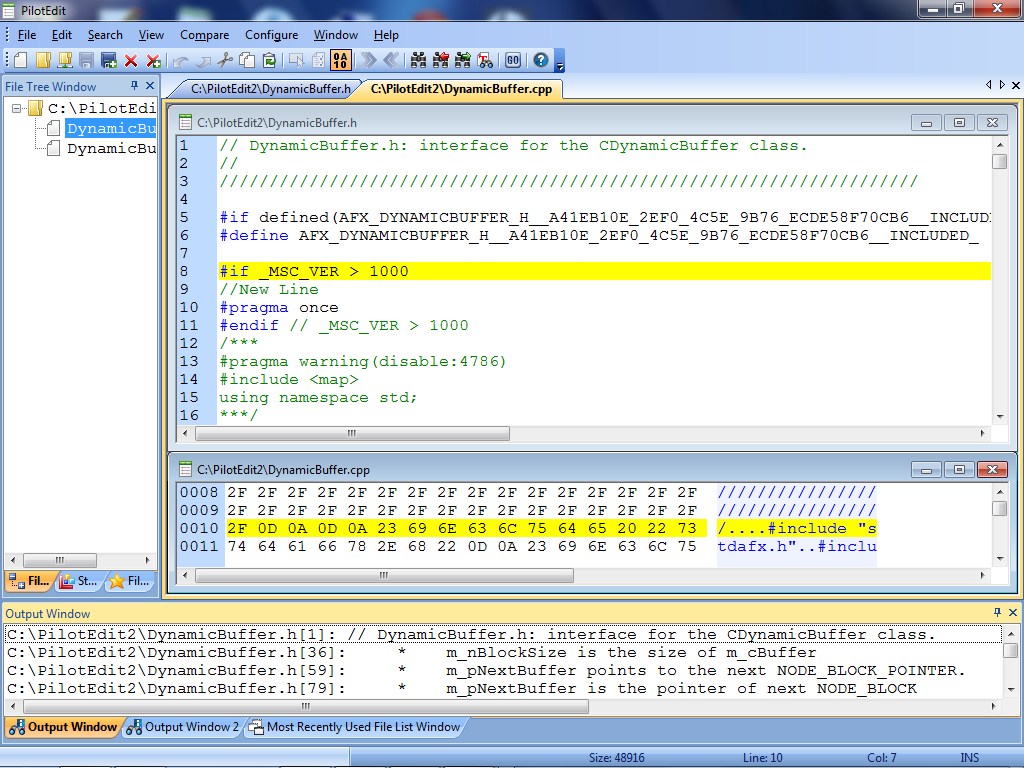 Download page for the app PilotEdit Lite - PilotEdit is an amazing file editor capable of editing large files. PilotEdit Lite works on both 32-bit and 64-bit Windows Operating System.
1. The file size supported by PilotEdit is unlimited Edit files larger than 10GB. 2. Support UNICODE files and DOS/UNIX files Change encoding of multiple files. PilotEdit will adjust text encoding automatically when you copy/paste in text mode. 3. Self-defined file types and key words high-lightening PilotEdit supports more than 20 kinds of file types. Define different TAB and indent for different file types. Support line-continuation characters. 4. HEX mode Input, delete, cut, copy and paste in HEX mode. Automatically detect file encoding when you change from HEX mode to text mode 5. Column mode 6. Endless undo/redo You may undo/redo even after you switch between text mode and HEX mode. 7. Word wrap 8. Edit, download and upload huge FTP files 9. Multiple-line find/replace Find/replace multiple-line text. Find/replace multiple-line text through regular expression. 10. File comparison Compare two directories. 11. Self-defined string table Add a pre-defined string by just one click. 12. Regular expression Find/replace multiple-line text through regular expression. Regular expression generator. 13. File group File group enable you to open multiple files by just one click. 14. Find/replace in multiple directories 
|
||||
|
|


