|
|
|
||||
|
|
Want a better software to manage your Web site more quickly and efficently? Click here for more info about EasyWebEditor...
Websites and CD DVD product catalogs with a single professional tool, in a single step? Yes it is possible: HyperPublish (BELOW!) FREE DOWNLOAD LINKS FOR: ThesesAssistDrawer 6.2.3 ThesesAssistDrawer, shorted as TAD, is a powerful MS Word addin that can help you configure the layout of papers, theses or science articles. TAD features one click to create a thesis template, to insert captions, to insert cross-references, to edit or sort references, to layout multiple figures, to manipulate bookmarks, and to do much more. This program is compatible with 2007 or newer version of Microsoft Word. (description, more information, click here - ThesesAssistDrawer is a powerful MS Word addin for theses writing.) File size: 8645 Kb Free Download link 1: Click here to start the download for ThesesAssistDrawer (then choose Save) Click here to start the download for ThesesAssistDrawer (then choose Save)WARNING: we suggest to scan the files with an antivirus before installing them - we do our best to screen each file reviewed on GetSoftware, but we don't re-scan them each day, and so, better safe than sorry! The download link was perfectly working at the time of our review and the related inclusion in this archive, and so when we did our last test; the download is not on our servers, it is provided by the software house and sometimes can be -temporarily- offline or so. Please kindly use the contact form to report difficulties, strange behaviors or persistent problems, and quote the program name or the number 6623 . ThesesAssistDrawer, is a powerful MS Word addin that can help you configure the layout of papers, theses or science articles. This program is compatible with 2007 or newer version of Microsoft Word.(ThesesAssistDrawer is a powerful MS Word addin for theses writing.)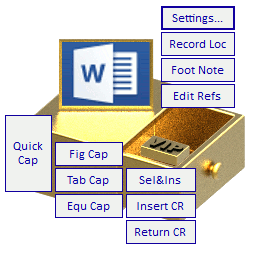 Download page for the app ThesesAssistDrawer - ThesesAssistDrawer, shorted as TAD, is a powerful MS Word addin that can help you configure the layout of papers, theses or science articles.
TAD features one click to do the following: Creating a thesis template; Inserting captions for figures, tables or equations; Inserting cross-references for caption number, heading number, reference number, etc.; Editing references; Sorting references; Inserting a footnote; Recording the document location; Inserting a landscape page; Layouting multiple figures with separate captions or with a shared caption; Adjusting multiple figures to the recorded height, width, or size; Selecting all figures in the document; Inserting a predefined three-line table; Selecting all tables in the document; Enhanced bookmark management; Enhanced wildcard search. The program is compatible with 2007 or newer version of Microsoft Word. 
|
||||
|
|


