
|

|
|
|
|
File size: 28920 Kb Date: 08/07/2012 Homepage Install support: Install and Uninstall OS: WinXP, Win2000, Windows Vista Ultimate, Windows Vista Starter, Windows Vista Home Basic, Windows Vista Home Premium, Windows Vista Business, Windows Vista Enterprise Requirements: Microsoft Office Document Imaging Language: English | Zonal or also Zonal OCR | eDoc Zonal OCR 3.0 [Homepage] - by: eDocfile Inc. - Download links for eDoc Zonal OCR 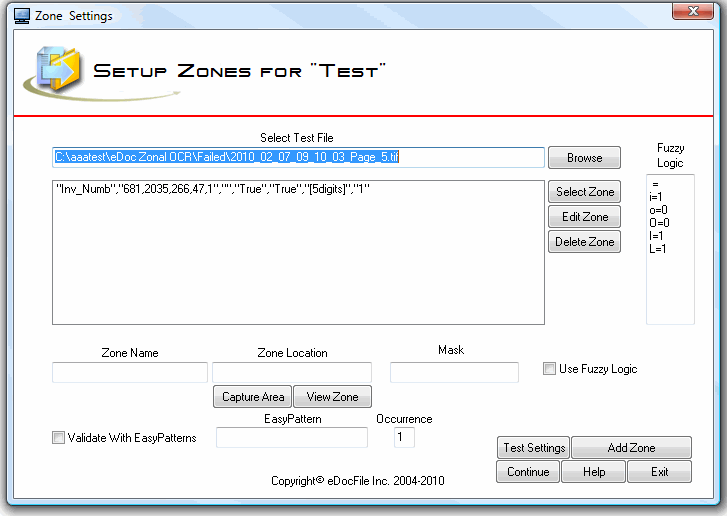 Click to enlarge Description: eDoc Zonal OCR is a program designed to capture data from scanned files, place the data in a csv file and rename the file based upon the contents of the file. It has the ability to validate the captured data with EasyPatterns (similar to Regular Expressions) to assure accuracy. The user can also use Fuzzy Logic when applying the EasyPattern to increase the percent of properly processed files. For instance, many times an OCR engine will return an "I" instead of a "1" or a "O" instead of a "0". With Fuzzy Logic it can be assumed that if a number is being captured from the area of the file and an "O" is returned it is really a "0". Once processed the user can import the data in the csv file into their database if desired (An import is not included with this program) or just search for the renamed file. The user can also view and update the file with eDocfile's Doc Viewer as well to create a simple workflow. eDoc Zonal OCR works on the concept of each type of processing is a Job. So, there is a job for each type of document and as many jobs as desired can be created and the program will cycle though them. Although it can be run on a server, it must first be setup on a workstation. Recent changes in this Major Update: Remarks - Comments - Reviews (Add your opinion about this program) |
See also in Business and Finance: Spreadsheets
|
|


 Download:


